Choosing a haircut is easier when you can compare a few clear possibilities before making a change. A photo preview gives you a way to look at shape, length, and framing on your own features, while leaving room for the realities a screen cannot show: texture, growth, styling, and the back of the cut. Use it to sharpen your questions and preferences, not as a prediction of an exact salon result.
Choose the bob length first
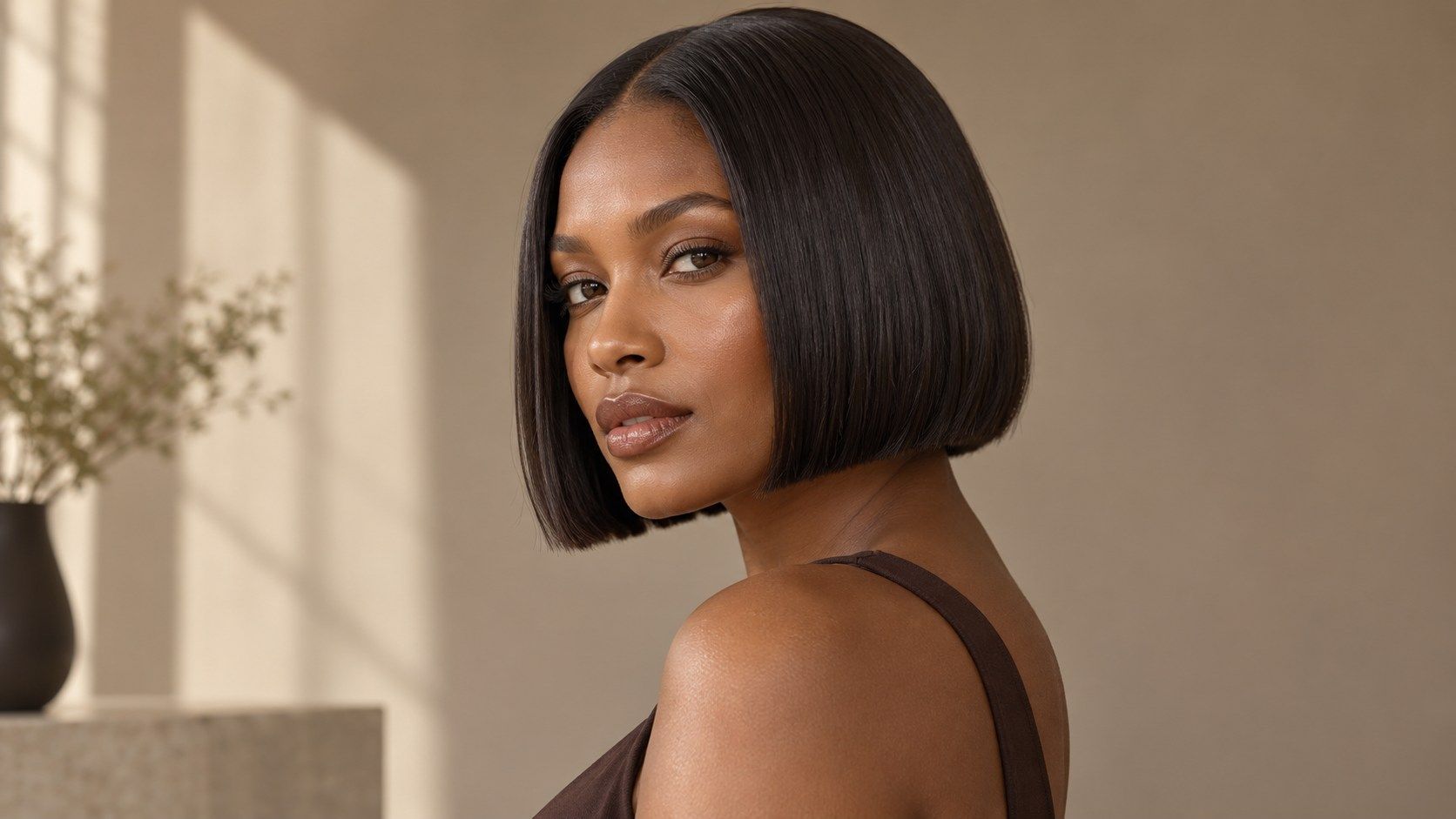
A bob can stop at the cheek, chin, jaw, or collarbone, and those are meaningfully different commitments. Start with the endpoint you want to compare rather than browsing every style tile. In a bob hairstyle simulator, keep your original photo and crop steady, then test two or three lengths. Check where each edge lands relative to your chin and neck. A jaw-length bob may feel crisp in profile, while a collarbone bob preserves more movement and can still be tied back more easily.
Your shoulders and neckline matter to the impression. A close crop can make a bob seem shorter than it would in a full portrait, and a head tilted down changes where the jaw appears. Use an image with the face level and both sides of the hair visible. Note the endpoint in plain language—“at the jaw,” “below the chin,” or “touching the collarbone”—so a reference can support a practical salon conversation.
Compare blunt and layered outlines
A blunt bob has a more continuous edge; layers or graduation create a softer, more shaped outline. In a preview, inspect whether the ends look even from side to side and whether the hair appears to have enough weight. A digital overlay may draw a sharp line even when your own hair would separate into smaller sections. Compare a clean blunt version with a lightly layered one, changing no other feature. This makes the difference easier to read than switching length, part, and color together.
Think about how you usually style your hair. A blunt line can look polished with a smooth finish, but natural waves may break it into a less uniform edge. Layers can encourage movement, yet short pieces may need shaping to sit as intended. Neither outline is universally easier. The right question is whether you like the expected texture and whether your regular routine can support it, not whether a preset looks perfect in a static image.
Inspect the area around the jaw
The relationship between the bob edge and your jaw often determines whether the silhouette feels soft or graphic. A line that ends just below the chin can frame the jaw without resting directly on it; an edge at jaw level creates a stronger horizontal point. Try both when uncertain, and inspect the face at normal screen size before zooming into the hair. The preview can distort an edge near the cheek if the lighting is uneven or hair overlaps the face.
Look at the temples and ears, too. A tuck behind one ear changes the visible outline, while a simulator may show both sides symmetrically. If you wear glasses, include them in the photo; the frame can affect how much visual space the bob occupies near the cheek. Use the result to identify the area you like, then ask a stylist how the front pieces could be adjusted to preserve it.
Remember the back view
Most online try-ons show a front view, but the nape determines much of a bob’s shape from behind. A graduated bob may be shorter at the back and longer toward the face; a one-length cut keeps a different perimeter. The front overlay cannot confirm how the nape will be cut, how the hairline grows, or whether a crown swirl affects the shape. Ask for a mirror or reference image that shows the back and side before agreeing to a specific outline.
This is especially useful when a preview looks convincing from the front but the planned cut involves a strong angle. Describe the desired profile: level, gently longer in front, or visibly graduated. A photo from a similar angle can help, though your own density and head shape will still change the result. If the back line is important to you, make it part of the consultation instead of assuming the front image contains the whole haircut.
Plan for styling and grow-out
A bob changes as it grows. A jaw-length cut may reach the shoulders after several months, and the ends can flip or rest differently as that happens. The exact pace varies, so use the simulator to compare the initial silhouette, then ask how often the shape usually needs attention. Shorter bobs may ask for more frequent shaping to keep a precise line; a longer bob can offer a little more room between trims, depending on the style and hair growth.
Consider everyday logistics: whether you need a ponytail, how your hair behaves after air-drying, and whether you use heat tools. A digital preview does not show how a graduated nape feels under a coat collar or how your texture reacts on a humid day. Save the preferred image, but pair it with a note about maintenance and the shortest length you are comfortable wearing. A bob preview is a starting point for discussing options, not a guarantee of an exact salon result.
Before a major change, it can help to compare the bob with your current length at the same scale. Ask whether the preferred version leaves enough length for a clip or whether it will expose the nape. If you are between chin and jaw length, save both images and ask which can be adjusted more easily during the cut. A professional can remove length gradually, but a preview cannot show the exact point where your own hair begins to spring, wave, or turn under.
Before a major change, it can help to compare the bob with your current length at the same scale. Ask whether the preferred version leaves enough length for a clip or whether it will expose the nape. If you are between chin and jaw length, save both images and ask which can be adjusted more easily during the cut. A professional can remove length gradually, but a preview cannot show the exact point where your own hair begins to spring, wave, or turn under.
Before a major change, it can help to compare the bob with your current length at the same scale. Ask whether the preferred version leaves enough length for a clip or whether it will expose the nape. If you are between chin and jaw length, save both images and ask which can be adjusted more easily during the cut. A professional can remove length gradually, but a preview cannot show the exact point where your own hair begins to spring, wave, or turn under.